Architectural BIM Modeling Services for Accurate, Coordinated Building Design
ACURABIM provides professional architectural BIM modeling services that turn design concepts into detailed, data-rich Revit models. Our BIM team delivers 3D architectural models, construction documents and visualization support that improve coordination, reduce rework and keep your project on schedule.







Architectural BIM Modeling Services Built Around Your Design Intent
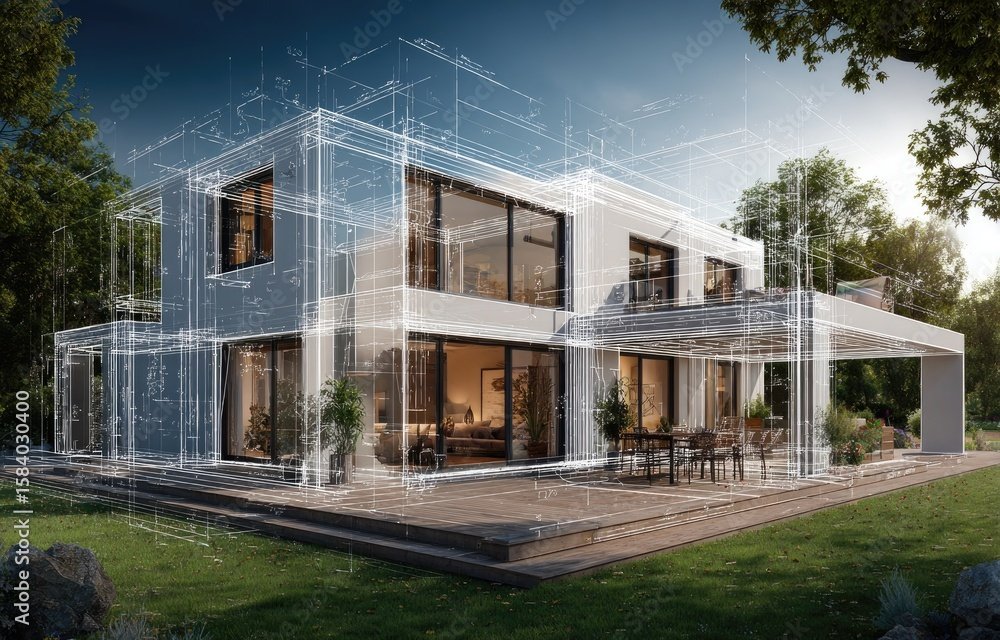
Architectural BIM modeling replaces disconnected 2D drawings with one intelligent 3D model. Every wall, door, window, floor and finish carries real data, so plans, sections, elevations and schedules stay consistent as the design changes.
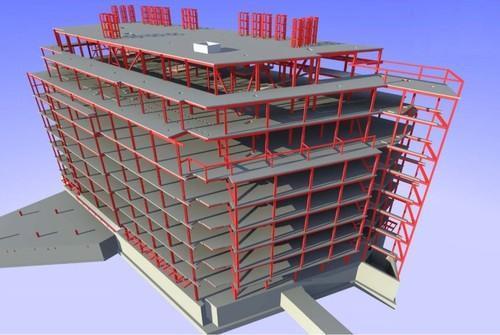
ACURABIM works as an extension of your design team. We translate your sketches, CAD files or concept models into accurate Revit architectural models at the level of development your project stage needs, from LOD 200 for early design to LOD 400 for detailed construction. Our model is also coordinated with structural BIM modeling and MEP BIM modeling, so conflicts are found in the model and not on site. It forms part of our wider BIM modeling services.
Our Architectural BIM Modeling Services
3D Architectural BIM Modeling
We build accurate 3D architectural models in Revit, including walls, floors, roofs, ceilings, stairs, doors, windows, curtain walls and interior elements. These models support visualization, design review and coordination. See our Revit architectural modeling page for more detail.
Architectural Design Development
We develop floor plans, elevations, sections and detail views directly from the BIM model, so your design stays accurate and consistent as it moves from concept to documentation.
Architectural Drafting & Constructio
We prepare precise construction drawings, layouts, schedules and sheet sets from the model for permitting, tendering and site execution. Because the drawings come from the model, any design change updates everywhere at once. For 2D output, see our architectural 2D drafting.
Clash Detection & BIM Coordination
Using Navisworks and Revit coordination workflows, we identify and resolve clashes between architectural, structural and MEP models. Fewer RFIs, less rework and fewer costly delays follow.
Revit Family Creation
We create custom, parametric Revit families for doors, windows, furniture, fixtures and façade components, giving your team a consistent, reusable library. See Revit family creation.
Quantity Take-Off & Cost Estimation
We extract accurate material quantities and schedules straight from the model to support budgeting, procurement and cost planning, and we can extend the model to 4D scheduling and 5D cost integration.
Measuring Our Success Through Your Growth
Industries We Serve
We have a BIM solution for everything your project demands.
HEALTHCARE
RESIDENTIAL
HOSPITALITY
RETAIL & COMMERCIAL
INFRASTRUCTURE
TRANSPORTATION
EDUCATION
ENERGY & INDUSTRIAL
DATA CENTRE
MIXED-USE



Why Choose ACURABIM for Architectural BIM Modeling?
Precision Engineering
Highly accurate 3D modeling and documentation for architectural, structural and MEP coordination. Each model follows your LOD and standards.
Seamless Collaboration
A coordinated BIM workflow with clash detection, real-time updates and shared data, so architects, engineers and contractors stay aligned.
End-to-End Delivery
From 2D planning and 3D modeling to 4D sequencing and 5D cost integration, we support every phase from concept to construction.
Cost & Time Efficiency
Smart BIM processes, detailed drafting and thorough documentation reduce delays, prevent costly mistakes and optimize material use.
Dedicated BIM Team
A dedicated team that works as an extension of yours, with fast communication and flexible revisions.
General Questions
1. What is Architectural BIM Modeling?
Architectural Building Information Modeling (BIM) is a digital representation of the physical and functional characteristics of a building. It involves creating a 3D model that integrates various aspects of the building’s design, construction, and operation, including architectural, structural, mechanical, electrical, and plumbing (MEP) systems. BIM enhances collaboration and decision-making throughout the project lifecycle.
2. What are the key benefits of Architectural BIM Modeling?
- Improved Collaboration: BIM fosters collaboration by allowing different teams (architects, engineers, contractors) to work on the same model simultaneously. Changes made by one team are automatically reflected for others to see in real-time.
- Increased Efficiency: By visualizing the entire project in 3D, BIM helps identify design issues early, minimizing errors and rework during construction.
- Better Design Accuracy: BIM integrates precise data, ensuring that design details, measurements, and specifications are consistent and accurate.
- Clash Detection: BIM helps detect clashes between architectural, structural, and MEP systems early, preventing conflicts during construction and reducing costly delays.
- Cost Estimation and Resource Management: BIM models allow for accurate cost estimation, material tracking, and resource planning, helping manage budgets effectively.
- Lifecycle Management: BIM data can be used for building operations, including facility management and future renovations or expansions.
3. How does BIM help in the construction phase?
During construction, BIM provides:
- Detailed Construction Documentation: Accurate and up-to-date construction documents derived from the BIM model guide the contractor’s work.
- Scheduling (4D BIM): By linking the BIM model to a project schedule, construction sequences can be visualized, helping to plan and track progress.
- Material Takeoff and Cost Estimation (5D BIM): BIM models can automatically generate material quantities and provide cost estimates, which help streamline procurement and control expenses.
- Construction Coordination: BIM ensures that all team members have access to the latest project information, reducing the risk of miscommunication.
4. What software is used for Architectural BIM Modeling?
Several software platforms are commonly used for architectural BIM modeling:
- Revit: The most widely used BIM software for architectural design, offering tools for building design, MEP, and structural engineering.
- ArchiCAD: A BIM software that is user-friendly and widely used for architectural modeling and design.
- Navisworks: Primarily used for project review, coordination, and clash detection, often integrated with Revit.
- SketchUp: While not a full-fledged BIM software, SketchUp is often used in the early stages for conceptual design, which can be imported into BIM software.
- AutoCAD Architecture: A version of AutoCAD with additional features for architectural design and BIM integration.
- Tekla Structures: Used for structural modeling and detailed BIM design, particularly for large-scale construction projects.
5. How does BIM improve collaboration across different project teams?
BIM improves collaboration by providing a shared platform where all teams (architects, engineers, contractors) can access and update the project model in real-time. This collaborative environment allows:
- Shared Data: All team members work from the same data, reducing the chances of discrepancies between different documents.
- Real-Time Updates: Any changes made by one team are immediately reflected in the model, ensuring that everyone is working with the most current information.
- Coordination: BIM allows different disciplines to visualize how their designs will interact with others, enabling easier conflict detection and resolution.
6. How much does Architectural BIM Modeling cost?
The cost of BIM modeling varies depending on project size, complexity, and the software used. Simple residential or small-scale projects may cost less, while large, multi-disciplinary projects can be more expensive. Factors such as the level of detail, the need for additional services (like clash detection, scheduling, or cost estimation), and the expertise of the BIM team all influence the price.
Enquire Now
Our Work